
You'll need this:
-
One of these Pointerpro plans:
 Professional Enterprise ReportR DistributR
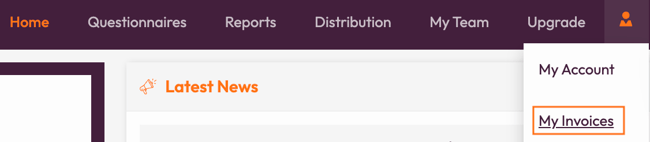
To see your invoices, you'll need to start by logging in to your account. Click on the avatar shown at the top right corner of the screen and choose My Invoices.
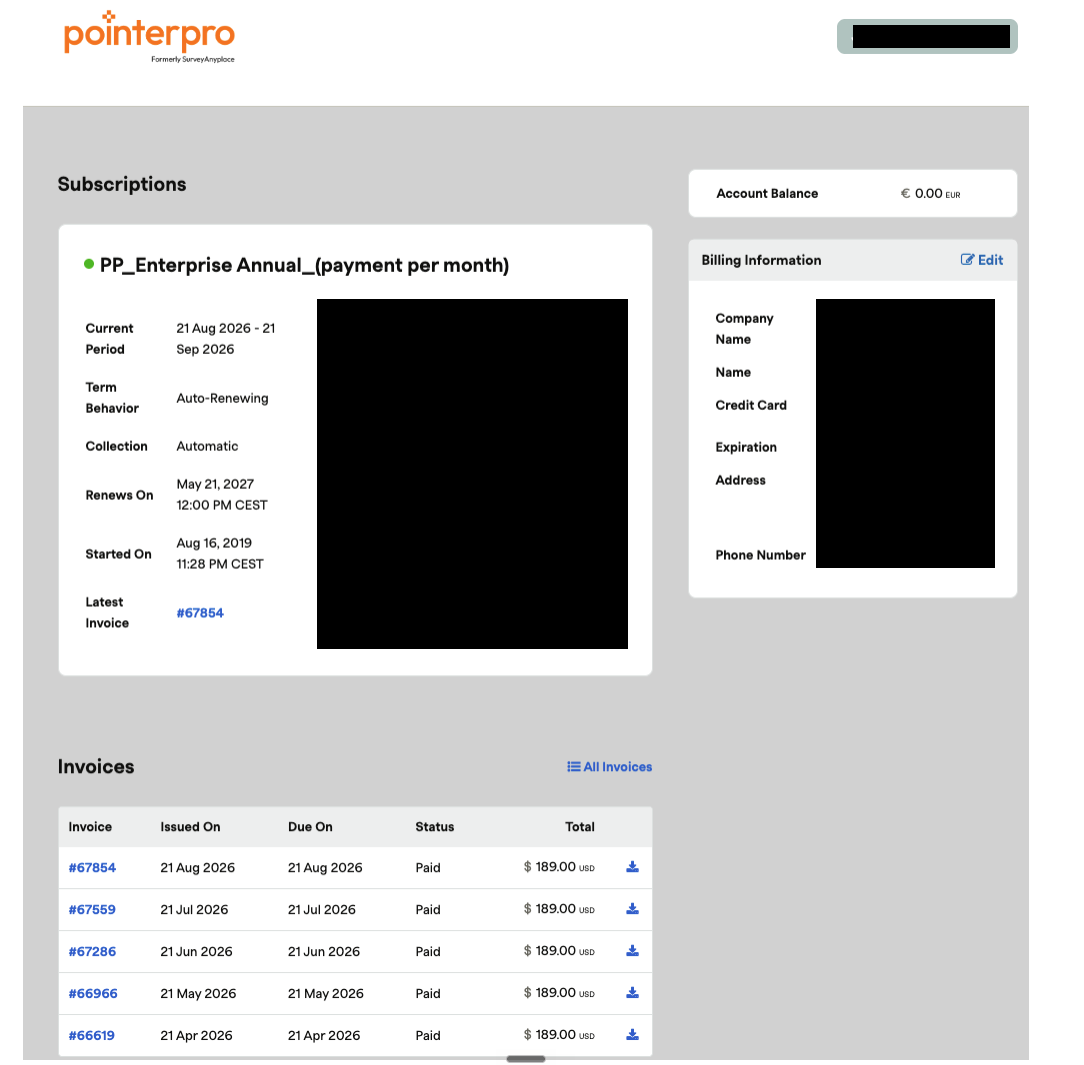
A new tab will open where
- You can view your current subscription
- Change Billing info
- View and download your invoices: click on the down arrow button in the last column of the invoice table
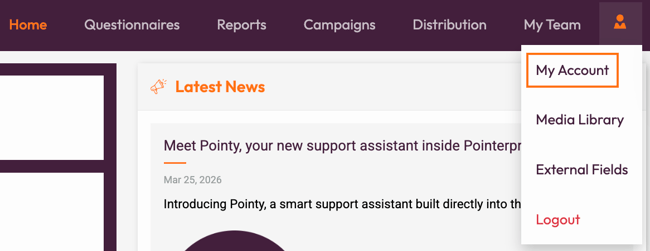
If you want to check your current usage go to My account
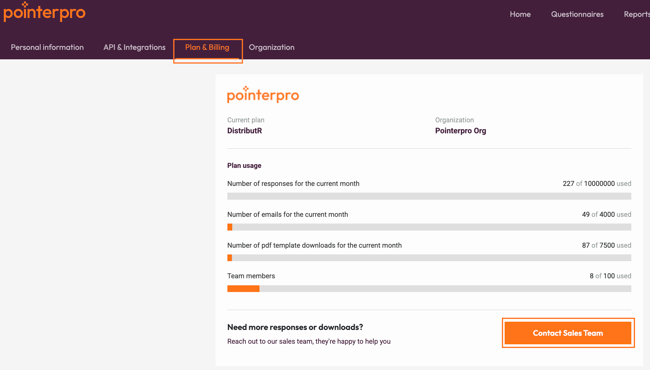
Then chose Plan & Billing tab. On this page you will see your current plan and usage metrics according your plan. Do you need more responses or PDF reports? Click Contact Sales Team to connect with your Account Manager
If you do not pay your subscription via our main payment system, you will not be able to access your invoices. If you are not able to access your invoices and you wish to get a hold of them, please contact support.
If you're an Enterprise and ReportR user and a part of an organization with multiple users, only the administrator can see the invoices.
What's next?
- Team management: With this feature, you can manage what the different team members have access to. You can set up who is allowed to edit the questionnaire or who you only want to give viewing rights to. You could also allow team members to view the reporting dashboard.
- White labeling: You can remove Pointerpro brand and logo from our product and replace it with your own. There are a lot of possibilities for branding your questionnaire by design. But if you want to fully brand your questionnaire by using your own link, you can white-label your questionnaire.
- Simultaneous logins - This occurs when different people are logged in on different devices and can cause problems such as work being lost. If you want to have the capability for more than one team member to work in the application, sign up for the Enterprise plan or ReportR plan.
Don't want to build it yourself? Contact our professional services team