
The sidebar in the Questionnaire Builder gives you quick access to every question type and widget while you design your questionnaire. You'll use it every time you build or edit a questionnaire in the back-end Questionnaire Builder.
You'll need this:
- One of these Pointerpro plans:
 Professional Enterprise. ReportR DistributR
Definition: Some users call this the "builder menu" or "question panel." In Pointerpro, we call it the sidebar.
On this page:
1. Find any question type fast
2. See what a question type does before you add it
3. Stay oriented as you scroll
1. Find any question type fast
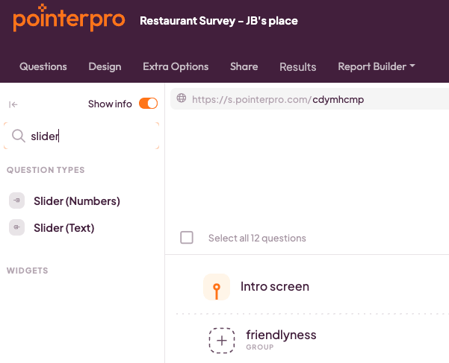
The sidebar lists every available question type and widget. Instead of scrolling to find the one you want, you can search directly in the sidebar.
2. See what a question type does before you add it
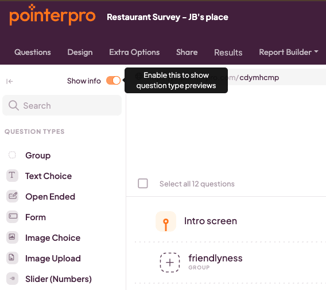
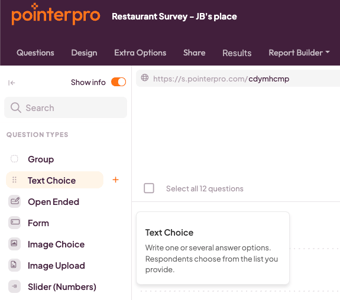
Turn on Show Info in the sidebar, then hover over any question type to see a short description of what it does. This is useful if you're not yet sure which question type fits what you want to ask.
3. Stay oriented as you scroll
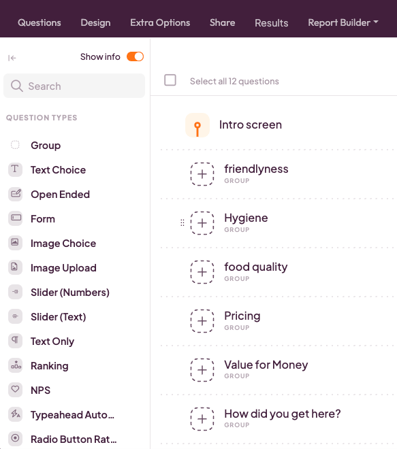
The sidebar and top navigation stay in place as you scroll through your questionnaire, so you don't lose your spot in longer questionnaires.
What's next?
- How to organize your questionnaire with blocks — group related questions together as your questionnaire grows.
- How to add and manage questions in the new Questionnaire Builder — add, duplicate, and delete questions.
- How to reorder questions and question blocks — move questions and blocks around with drag and drop.